
KEEP THE CONVERSATION TOGETHER
Your mailbox, inside MegaHub
Customer mail arrives here, replies come back to you, and every message you send is filed in Sent.
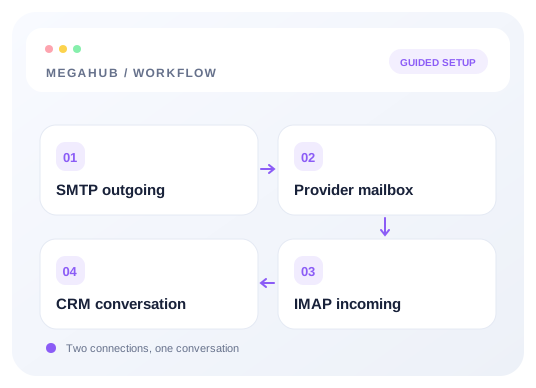
Your mailbox may be connected from your own provider or hosted on the brokerage’s domain. MegaHub is the client for it. Mail a customer sends you arrives in the Inbox screen. Mail you send from anywhere in MegaHub — a quote, a follow-up, a reply — leaves from that same address, so the customer is talking to you rather than to an office account.
It is a real mailbox, not a log of messages. The copy in your Sent folder is the message that actually left, and you can open the same account in Apple Mail or Outlook if you want to.
Getting one
Open Inbox → Mailboxes. On the connected-mail route, you can add your existing provider address and configure SMTP and IMAP there. Administrators can also connect agent mailboxes. On the hosted-domain route, an administrator provisions the mailbox for you. The connection guide covers both paths.
New mail
MegaHub checks for new mail every couple of minutes. When something arrives it appears in the list on its own — you do not need to refresh — and you get a notification on the bell, a toast if you are looking at the app, and a desktop notification if you are not.
Replying
- Reply goes to the sender, or to their Reply-To address when they set one.
- Reply all adds everyone else who was on the message, minus the sender.
- Forward starts a new message with the original quoted underneath.
The message you are answering is not poured into the compose box. It is behind one line — “Show the message you are answering” — and still goes out with your reply. That keeps a fourth reply from opening with three messages of history above the cursor, and the recipient's mail client collapses the quote the same way yours does.
Remote images
Images hosted elsewhere are blocked until you ask for them, and a bar at the top of the message says so. Loading them tells the sender you opened the message and roughly where you are, which is how marketing mail and a good deal of phishing measures its reach. Images that arrived inside the message itself are shown straight away.
Read next
Check your progress
Review your setup
Use this checklist while following the guide. Your selections are for this reading session and do not change CRM settings.
0 of 5 complete
Continue exploring email and messaging
Connect your inbox with SMTP and IMAP
Choose a provider preset, enter your credentials once, and test outgoing and incoming mail separately.
9 min read →
Making sure your email actually arrives
SPF, DKIM and DMARC in plain terms, and what to do when quotes land in spam.
6 min read →
Writing a message, and attaching files
Formatting, attachments, and picking a recipient out of the customer book.
5 min read →
Who a customer sees a message from
Every message to a customer leaves through an agent's mailbox — including the ones nobody pressed send on.
4 min read →