
MOVE THE JOB FORWARD
Lead to delivery: how a job moves
The five records an enquiry passes through, what each one is for, and what carries across.
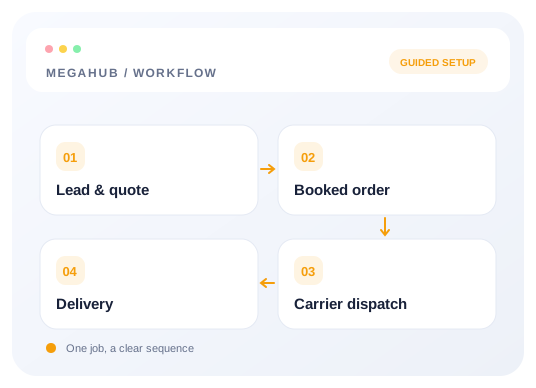
A job that starts as an enquiry and ends as a delivered car passes through five records. Each one is separate, each has its own number, and each keeps a link back to the one before it.
| Record | Exists to | Ends when |
|---|---|---|
| Lead | Hold an enquiry and whoever it belongs to. Posted by a vendor, typed in, or imported. | It is quoted, or marked lost. |
| Quote | Put a price in front of the customer, with a ship date and the vehicles. | They accept it, or it goes cold. |
| Order | Record a booked job: route, vehicles, money and terms. | The car is delivered and the order is completed. |
| Dispatch | Put one order in one carrier's hands, with a sheet they sign. | The carrier delivers, or the offer is declined. |
| Invoice | Ask a customer for money in writing, usually a dealer or a commercial account. | It is paid, or voided. |
Why they are separate records
Because they do not map one to one. A lead can carry two quotes, for two different pickup dates or two different trucks. An order can be split across two carriers. A customer with a monthly account gets one invoice covering several orders. Collapsing any of those into a single record means losing the shape of what actually happened, and it is always the awkward job — the one that got re-quoted, split and re-dispatched — that you most need the history of.
Nothing is retyped as a job moves along. Converting a quote carries the customer, the route, the vehicles, the price and the ship date onto the order, and the order keeps a link back to the quote it came from. The same is true of the lead behind the quote.
The money on an order
Four figures move together, and they are the ones every report is built on.
| Figure | What it is |
|---|---|
| Total price | What the customer pays, all in. |
| Carrier pay | What the truck gets. |
| Broker fee | The difference between the two. It is your margin on the job. |
| Deposit and COD | What you collect up front, and what the driver collects on delivery. Together they are the total. |
Two things that look like statuses and are not
A quote's status is your agent's read on the customer — hot, warm, cold, voicemail, on hold — not where the quote is in a workflow. Whether a quote is still outstanding, already accepted, or past its ship date is answered from its dates instead. The two questions used to share one field, which meant marking a keen customer as hot quietly made the quote look unanswered.
An order counts as committed the moment a carrier is offered it, not when they accept. Editing after that point is still possible if you have the permission for it, but it is recorded on the timeline and the carrier is re-notified, because they are holding a sheet that no longer matches.
Read next
- Dispatching: posting, offers and the sheetGetting a booked order onto a truck — load boards, carrier checks, and what the driver receives.
- Splitting an order across two trucksMoving some vehicles onto a second order without the totals drifting apart.
- Statuses: every value and what it meansThe complete set of statuses on leads, quotes, orders, dispatches and invoices.
Check your progress
Review your setup
Use this checklist while following the guide. Your selections are for this reading session and do not change CRM settings.
0 of 5 complete
Continue exploring day to day
Quoting: rate cards, vehicles and margin
How a price is built, where the numbers come from, and how the header and the vehicles stay in step.
6 min read →
Getting your data out
CSV exports of leads, quotes and orders, and what the file contains.
3 min read →
Dispatching: posting, offers and the sheet
Getting a booked order onto a truck — load boards, carrier checks, and what the driver receives.
7 min read →
Splitting an order across two trucks
Moving some vehicles onto a second order without the totals drifting apart.
4 min read →