
MOVE THE JOB FORWARD
Quoting: rate cards, vehicles and margin
How a price is built, where the numbers come from, and how the header and the vehicles stay in step.
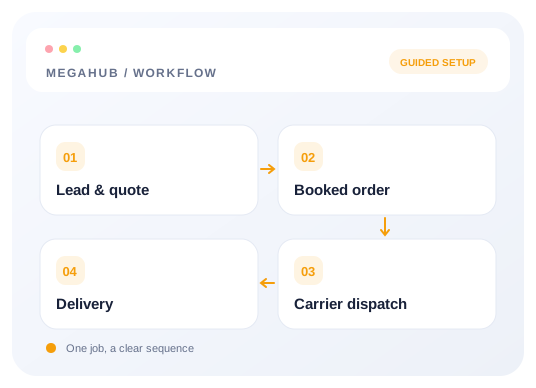
A quote is built from a lead. Open the lead, price it, send it — the customer sees a page with the figure and can accept it there.
Where the number comes from
Your rate card, under Settings → Quote settings, prices a move by distance and transport type. The lane mileage is resolved from the two ZIPs, so the suggested price appears as soon as the route is known. It is a starting point, not a rule — every figure on the quote can be typed over.
The three figures
| Figure | Means |
|---|---|
| Total tariff | What the customer pays. |
| Carrier pay | What the truck gets. |
| Broker fee | The difference — your margin. |
These are one set of numbers, not three independent ones. Change any of them and the others follow.
Several vehicles
A quote can carry more than one vehicle, each with its own price. The header totals and the per-vehicle prices are the same source of truth read two ways: edit a vehicle and the header updates; edit the header and the change is shared across the vehicles in proportion to what they already cost. The parts always add up to the total exactly — no rounding drift, no cent that appears from nowhere.
Adding a vehicle to an existing quote adds it to that quote. You do not need to re-quote the lead.
Duplicating and return trips
The bottom of a quote has Duplicate and Return trip. Duplicate copies the quote so you can offer the same job on a different date — both stay on the same lead, so the customer's enquiry remains one record. Return trip does the same with the route reversed, which is the most common reason to duplicate at all. Neither changes the original.
Read next
Check your progress
Review your setup
Use this checklist while following the guide. Your selections are for this reading session and do not change CRM settings.
0 of 5 complete
Continue exploring day to day
Getting your data out
CSV exports of leads, quotes and orders, and what the file contains.
3 min read →
Lead to delivery: how a job moves
The five records an enquiry passes through, what each one is for, and what carries across.
7 min read →
Dispatching: posting, offers and the sheet
Getting a booked order onto a truck — load boards, carrier checks, and what the driver receives.
7 min read →
Splitting an order across two trucks
Moving some vehicles onto a second order without the totals drifting apart.
4 min read →