MegaHub CRM · Transport workflows
Auto transport dispatch software for brokers
Organize shipment work, carrier records, dispatch decisions, and customer updates alongside your CRM.
Request a product demo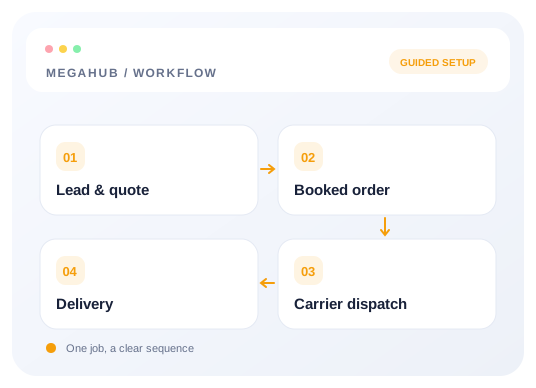
Dispatch starts with a clear shipment
Auto transport dispatch software organizes the work that follows a booking decision. Before discussing carrier availability, the team needs a clear shipment record: the vehicle, pickup and delivery locations, customer details, and the timing under discussion. MegaHub includes order and dispatch modules alongside its CRM. Review the handoff between those areas during evaluation. A requested date should not be mistaken for a confirmed appointment, and incomplete shipment details should be resolved before a team member uses them to coordinate the next operational step.
Understand the board as a working queue
The dispatch board gives the operations team a way to organize shipment work. Its value depends on the meaning assigned to each stage and the people responsible for keeping records current. Agree on what a status communicates, when a shipment should move, and what action follows an exception. During a demo, use a shipment with an ordinary progression and one with a changed plan. Check how the team finds the relevant record and how another dispatcher understands the current situation without needing a separate verbal briefing.
Manage carriers with usable records
Carrier management is part of the application and belongs in the dispatch evaluation. Review which carrier details your team maintains and how those records relate to shipment work. A record in software does not independently establish that a carrier meets your brokerage requirements; the team still needs its own verification process. Keep the information used for operational decisions current and confirm who can edit it. Demonstrate the point where a dispatcher chooses a carrier so the connection between the record and the shipment is clear.
Review load board connections separately
Load board posting is a distinct integration workflow, with configuration and external system behavior to consider. Ask which connection your brokerage needs and verify its setup in the integration documentation. Prepare a controlled shipment and check what is sent, what the response means, and where the team reviews the result. Do not assume every external board handles the same fields or updates in the same way. If a posting fails, the dispatcher needs enough information to investigate and a clear policy for what happens next.
Coordinate changes across the team
A shipment can change after the first handoff. The customer may revise a location, vehicle information may need correction, or timing may require another conversation. Dispatch and sales should work from an updated shipment context rather than competing versions of the same information. Establish who records a change, who communicates it, and which next step requires review. Walk through a changed-plan example during evaluation. Confirm how the team finds the latest details and how the person responsible for follow-up knows that the plan has changed.
Give customers relevant shipment information
Customer-facing tracking routes are present in the application. Evaluate the information those links show for your workflow and explain their purpose clearly to the customer. A tracking page should not be described as continuous location monitoring unless that particular behavior has been verified. Use the public page to review the shipment information and updates available in the product. Confirm when the link is shared and who answers questions that it does not resolve. Customer communication remains a team responsibility even when a self-service view is available.
Connect paperwork with operational decisions
Dispatch work often involves documents and customer-facing signing steps. MegaHub includes document and signing modules as well as invoice routes. Review the specific document your brokerage uses, how it is associated with a shipment, and what happens after someone takes the requested action. Keep legal and operational requirements separate from assumptions about software capability. Confirm the information in a document before sharing it, and establish who reviews completed paperwork. The demonstration should follow a concrete example so missing approvals or manual steps are visible.
Measure the workflow you need to manage
Reporting is useful when it answers an operational question the team has defined. Start with the decisions managers make: which shipments need attention, where ownership is unclear, and what work remains for the day. Review the reporting screens against those questions instead of assuming a particular metric exists. Ask how your team would inspect a shipment that appears incorrect. For a demo of car shipping dispatch workflows, bring your stages, carrier requirements, and integration list. Contact info@megahubcrm.com to discuss the setup and review the documentation before rollout.
Frequently asked questions
How can I evaluate this workflow?
Request a demo using a representative shipment and the team roles, provider connections, and customer actions you need to verify.
Where can I find setup instructions?
The public help centre covers provider intake, email connections, permissions, API requests, and operational setup. Start with the topic that matches your next task.
Are public subscription prices available?
Verified public plan details are not published here. Contact info@megahubcrm.com to discuss your requirements and pricing.