
MAKE THE NUMBERS CLEAR
Raising and sending an invoice
Invoicing an order, choosing which account it settles into, and invoicing on an agent's behalf.
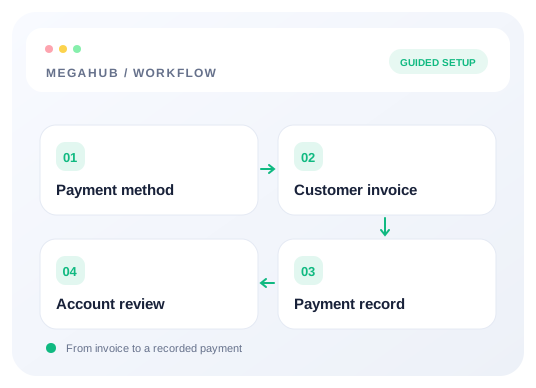
Invoices are mainly for dealers and commercial accounts — anybody who pays against paperwork rather than a card at the time of booking. You can raise one from scratch, or from an order, which is the usual way.
From an order
Invoice this order in the bottom bar builds the lines from the record itself: one per vehicle, described in full — "2020 Ford Escape — Chicago, IL 60601 to Phoenix, AZ". A dealer can match that against their own paperwork, where a single line reading "Transport services" has to be taken on trust.
The lines are not editable, on purpose. Every figure is already on the order, and retyping a total somebody agreed on the phone is how an invoice and an order come to disagree. What you are asked for is the four things the order cannot answer: payment terms, a note to the customer, which payment method it settles into, and whose invoice it is.
If the order has already been invoiced, the dialog says so and links the existing invoices before you do anything. Raising a second one is allowed — sometimes it is right — but it is usually a mistake made by whoever cannot see the billing book.
Invoicing on behalf of an agent
A team lead raising an invoice can pick which agent it belongs to. Commission and reporting follow that choice, while the record still shows who actually pressed the button — the two are separate fields, because collapsing them means either crediting the wrong person or losing who did it.
The dropdown only appears when there is a genuine choice. It needs the invoice for others permission, held by managers and admins, and it is bounded by your team: you can invoice for the people on your desk, not for anybody in the brokerage.
Splitting the total across vehicles
Where a total divides unevenly the remainder goes to the earliest lines — $1,000 across three cars reads 333.34, 333.33, 333.33. The preview shows exactly what will be saved, and the lines always add back to the order's total to the cent.
Read next
Check your progress
Review your setup
Use this checklist while following the guide. Your selections are for this reading session and do not change CRM settings.
0 of 5 complete
Continue exploring payments and billing
Setting up your payment methods
Which processors MegaHub supports, how to configure one, and how to decide who may use it.
6 min read →
Cards on file, and how card data is handled
What MegaHub stores when you save a customer's card, and what it deliberately never sees.
5 min read →
How your MegaHub bill is worked out
What counts as a seat, what does not, and what happens when somebody leaves.
4 min read →