
MOVE THE JOB FORWARD
Dispatching: posting, offers and the sheet
Getting a booked order onto a truck — load boards, carrier checks, and what the driver receives.
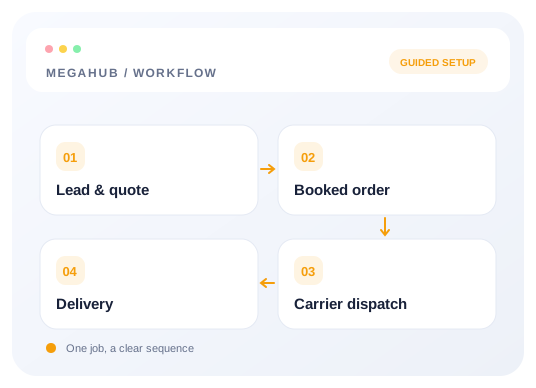
An order becomes a dispatch when one carrier agrees to take it. There are two routes to that: advertise it on a load board and field offers, or offer it directly to a carrier you already work with.
Posting to a load board
Moving an order to Posted advertises it on whichever boards you have connected — Central Dispatch, Super Dispatch, or both. You do not post it a second time by hand. Moving the order past Posted withdraws the listing: covered, moving, delivered or cancelled, the advert comes down.
Each board is connected under Settings → Integrations, with your own account. The listing remembers which board issued it, so withdrawing asks the same board that took it — which matters if you ever switch, because otherwise a covered load stays advertised on a board nobody is watching.
Offering it to a carrier
Offering an order generates the dispatch sheet and sends it to the carrier by email and text. They get a link — no account, no password — where they can accept, decline, or check in when they collect. Accepting moves your order to Dispatched without anybody rekeying anything.
Carriers MegaHub will not let you dispatch to
- Blacklisted carriers. Somebody at your brokerage marked them, and the reason is on the carrier record.
- Inactive carriers.
- Carriers whose insurance certificate has expired or is missing. This is the one that catches people out, and it is deliberate — dispatching to an uninsured carrier is the single most expensive mistake in this business.
Editing after dispatch
Once a sheet is out, the order is locked to most people. Changing it needs the edit dispatched orders permission, which managers, dispatchers and admins hold. When it is used, the change is written to the timeline and the carrier is sent the amended sheet, so there is never a version in a driver's hands that nobody knows about.
Read next
- Splitting an order across two trucksMoving some vehicles onto a second order without the totals drifting apart.
- Lead to delivery: how a job movesThe five records an enquiry passes through, what each one is for, and what carries across.
- Every permission, and who has itThe complete list of 52 permissions, the seven roles, and what leading a team adds on top.
Check your progress
Review your setup
Use this checklist while following the guide. Your selections are for this reading session and do not change CRM settings.
0 of 5 complete
Continue exploring day to day
Quoting: rate cards, vehicles and margin
How a price is built, where the numbers come from, and how the header and the vehicles stay in step.
6 min read →
Getting your data out
CSV exports of leads, quotes and orders, and what the file contains.
3 min read →
Lead to delivery: how a job moves
The five records an enquiry passes through, what each one is for, and what carries across.
7 min read →
Splitting an order across two trucks
Moving some vehicles onto a second order without the totals drifting apart.
4 min read →