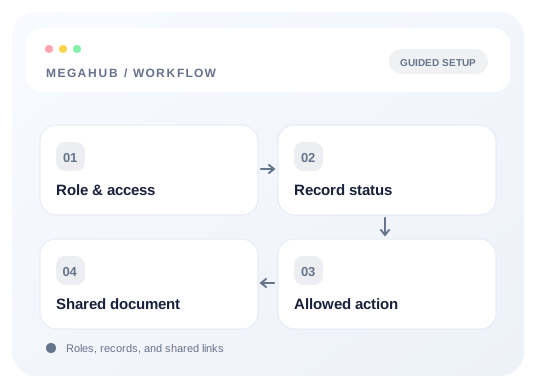
Workflow illustration · Roles, records, and shared links
Every action in MegaHub is gated by a named permission. Roles are just bundles of them, and every bundle is editable — if the shape below is not your brokerage's shape, change it under Settings → Roles rather than working around it.
The seven roles
Role
Permissions
What it is for
Owner
52 of 52
Everything, including editing the permission matrix itself.
Admin
51
Everything except editing the permission matrix. Day-to-day administration.
Manager
35
Runs a desk: their own teams' leads and orders, assignment, invoicing, price overrides, cancellations and reports.
Dispatcher
14
Orders and carriers across the whole brokerage — dispatch is handed work from every desk, so the book has to be whole.
Agent
13
Their own leads, quotes, orders and customers, and their own commission.
Accounting
12
The money: charges, refunds, invoices, commissions and every report. Not the sales pipeline.
Read only
6
Looks at the five main lists. Changes nothing.
Leading a team adds four more
Leading a team is a relationship, not a rank, so anyone who leads at least one team gets these on top of whatever their role gives them. An agent who leads a desk does not have to be promoted to manager — which would also hand them lead deletion, price overrides and order cancellation — just to hand a lead to their own team member.
Key
Adds
leads.view_team
Sight of their team's leads. Assigning something you cannot see is not a thing you can do.
leads.assign
Handing a lead to a member of their desk.
orders.assign
The same for orders — work does not stop being theirs when it is booked.
teams.manage_own
Adding and removing ordinary members of the teams they actually lead. Not renaming or creating teams, and not promoting anybody to lead.
Capability versus reach
Most permissions grant an action. A handful instead widen what an existing screen shows you, and they are worth understanding separately — they are about scope, not trust.
Key
Widens
leads.view_team, leads.view_all
Whose leads appear in the list.
orders.view_team, orders.view_all
Whose orders appear.
customers.view_team, customers.view_all
Without either, you see customers you have a lead, quote or order with.
leads.view_source
Whether a lead tells you which vendor sent it.
reports.view_own, view_team, view_all
Whose figures a report counts.
Lead source visibility is held by managers and above. Without it the source is removed from leads, quotes and orders — on the detail page, in the list and in the CSV export — and the lead sources list is closed too, because it is the shortest route to the same answer. Filtering by a source you may not see is ignored rather than refused: refusing would confirm the source exists.
The full list
Leads
Key
Allows
leads.view
See leads assigned to you
leads.view_team
See your team's leads
leads.view_all
See every lead in the brokerage
leads.create
Create a lead
leads.edit
Edit a lead
leads.delete
Delete a lead
leads.assign
Assign a lead to somebody
leads.import
Bulk import leads
leads.view_source
See which vendor a lead came from
Customers
Key
Allows
customers.view
See customers you have work with
customers.edit
Edit a customer
customers.view_team
See your team's customers
customers.view_all
See every customer
Quotes
Key
Allows
quotes.view
See quotes
quotes.create
Build and send a quote
quotes.override_price
Quote away from the rate card
Orders
Key
Allows
orders.view
See orders assigned to you
orders.view_team
See your team's orders
orders.view_all
See every order
orders.create
Create an order
orders.edit
Edit an order
orders.edit_dispatched
Edit an order a carrier already holds the sheet for