
KEEP THE CONVERSATION TOGETHER
Making sure your email actually arrives
SPF, DKIM and DMARC in plain terms, and what to do when quotes land in spam.
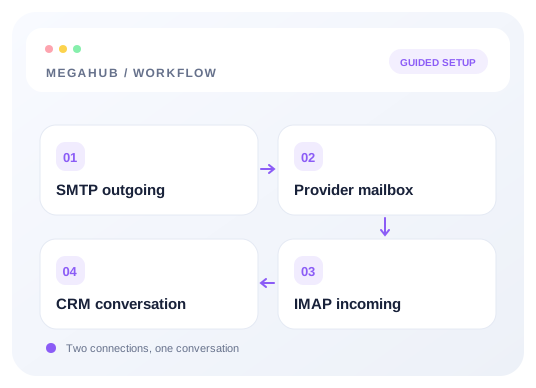
Connecting a mailbox makes MegaHub able to send. Getting into the inbox rather than the junk folder is a separate job, and it is done in your domain's DNS rather than in MegaHub.
The three records
| Record | What it answers |
|---|---|
| SPF | Which servers are allowed to send mail for this domain. |
| DKIM | A signature proving the message really came from you and was not altered. |
| DMARC | What a receiver should do when SPF or DKIM fails — and where to report it. |
Your mail provider publishes the exact values; they differ per provider, so take them from your provider's setup guide rather than copying an example. All three are TXT records on the domain you send from.
Checking DKIM from inside MegaHub
Settings → Email has a DKIM check that reads the records on your domain and reports what it found, with the time of the last check. Run it after making a DNS change — records take anywhere from minutes to a day to propagate, and a check that fails immediately after editing usually just means it has not spread yet.
When quotes are landing in spam
- Check all three records exist and pass. Two out of three is a common cause.
- Check the From address is on the same domain as the connected mailbox. A mismatch is the single most common reason for a quote going to junk.
- Warm a new domain up. A brand-new sending domain that suddenly sends four hundred messages looks exactly like a compromised one. Build volume over a couple of weeks.
- Ask one customer to mark a message as not spam and reply to it. A reply is the strongest positive signal there is.
- Avoid link shorteners in templates. They are heavily weighted against, because that is what phishing uses.
Read next
Check your progress
Review your setup
Use this checklist while following the guide. Your selections are for this reading session and do not change CRM settings.
0 of 5 complete
Continue exploring email and messaging
Connect your inbox with SMTP and IMAP
Choose a provider preset, enter your credentials once, and test outgoing and incoming mail separately.
9 min read →
Your mailbox, inside MegaHub
Customer mail arrives here, replies come back to you, and every message you send is filed in Sent.
6 min read →
Writing a message, and attaching files
Formatting, attachments, and picking a recipient out of the customer book.
5 min read →
Who a customer sees a message from
Every message to a customer leaves through an agent's mailbox — including the ones nobody pressed send on.
4 min read →