
FROM ENQUIRY TO OPPORTUNITY
Troubleshoot lead delivery and assignment
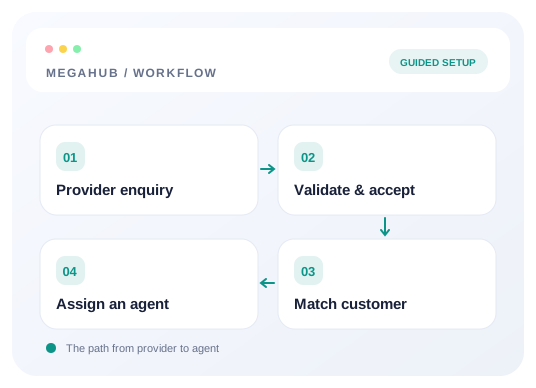
Find whether an enquiry failed authentication, mapped incorrectly, stayed unassigned, or is hidden by permissions.
Start with the provider’s response
Ask for the request time, URL path, response status and body, and the requestId if one was returned. Redact the posting key before sharing screenshots or logs. If accepted is true and a lead number was returned, investigate the saved record before posting it again.
Authentication failures
- 1Check that the URL is the posting URL for this brokerage, including its tenant key.
- 2Confirm the provider sends the current source key in X-Api-Key.
- 3Confirm the source is active. A rotated key stops working immediately.
- 4Do not change a live key just to test it. Compare the configured values first and coordinate a rotation if it is necessary.
Accepted leads with missing fields
Send the same payload to the /test endpoint. Inspect parsed, ignoredFields, route, and warnings. The endpoint ignores unrecognized fields; a 201 response proves acceptance, not that every custom field mapped. Email or phone is required. Both ZIP fields are needed for a useful route.
Accepted leads nobody can see
- 1Use the returned leadNumber to search Leads as an administrator.
- 2Clear status, source, date, and assignment filters.
- 3Check the assignee and the unassigned pool. Ordinary agents are limited by their record visibility.
- 4Review source-team mapping, rule order, active team membership, working hours, and lead caps.
- 5Assign the existing record if needed. Changing distribution settings affects new arrivals rather than moving existing work.
Duplicate and retry handling
duplicate: true still means accepted. Review the existing customer’s work before contacting them again. If the provider received a successful acknowledgement, do not resend it to fix an assignment issue. If a request timed out without a response, first investigate whether a record was created before repeating the submission.
Batch and rate-limit failures
| Response | Next step |
|---|---|
| 403 / BATCH_NOT_ENABLED | Enable bulk posting on that source if the vendor should use /batch. Otherwise send one lead per request. |
| 400 / BATCH_TOO_LARGE | Keep the request within that source’s configured batch limit and the 200-entry maximum. |
| 207 Multi-Status | Read each result by index. Some leads may have been accepted while others failed. |
| 429 | Reduce the request rate, review source hourly limits for batch posting, and retry according to the returned response. |
What to send support
- 1The source name and the leadNumber / leadId, if returned.
- 2The time of the request with timezone and its requestId, if available.
- 3The response status and error message.
- 4A redacted payload and the result of a dry run.
- 5Whether the problem is acceptance, field mapping, assignment, or visibility.
Read next
- Connect a provider and land your first leadCreate a lead source, share its posting credentials, test the payload, and confirm the lead reaches an agent.
- Generating a posting key and endpointCreate the credentials a lead provider needs, test them, and rotate them if they leak.
- Inbound lead API referenceEndpoint, authentication, every field MegaHub reads, batch posting and the responses to expect.
- Deciding which agent gets a leadHow an inbound lead finds a desk, how a ratio is honoured when leads arrive one at a time, and what happens when nobody is eligible.
Check your progress
Start with these steps
Use this checklist while following the guide. Your selections are for this reading session and do not change CRM settings.
0 of 4 complete
Continue exploring leads
Connect a provider and land your first lead
Create a lead source, share its posting credentials, test the payload, and confirm the lead reaches an agent.
10 min read →
How MegaHub CRM lands a lead
What happens between a provider posting an enquiry and an agent seeing it on their board.
6 min read →
Setting up your lead sources
Creating a source, what each field changes, and what happens to a provider when you switch one off.
6 min read →
Deciding which agent gets a lead
How an inbound lead finds a desk, how a ratio is honoured when leads arrive one at a time, and what happens when nobody is eligible.
6 min read →