
FROM ENQUIRY TO OPPORTUNITY
Deciding which agent gets a lead
How an inbound lead finds a desk, how a ratio is honoured when leads arrive one at a time, and what happens when nobody is eligible.
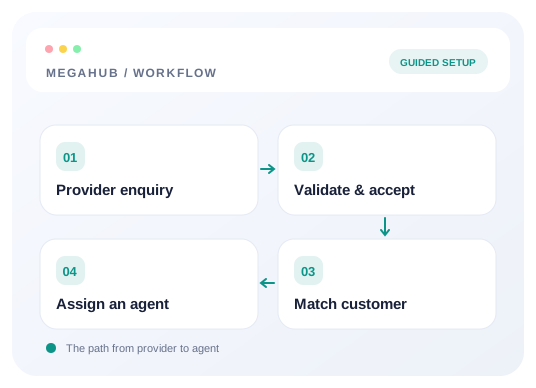
A lead somebody types in belongs to the person typing it. Distribution is for the other kind: an enquiry that arrives from a vendor at two in the morning with nobody's name on it. Lead Distribution Rules decide whose desk it lands on.
The order things happen in
- 1If the source is tied to a team, the lead goes to that team.
- 2Otherwise the rules are tried in order, and the first that matches chooses the team.
- 3Within the team, the lead goes to one agent by the team's own sharing setting.
- 4If nothing matched and nobody was eligible, the lead is left unassigned and whoever can claim it is told.
Rules match on more than the vendor: the route, the vehicle count and the customer are all available, because "anything from this provider going to Florida" is a real way to run a desk and a source alone cannot express it.
How a ratio actually splits
This is the part worth understanding, because it is not what people expect. If you give one desk 60 and another 40, leads are not alternated in blocks of six and four — and they do not need to arrive in tens for the split to hold.
Each time a lead arrives, every eligible desk is scored on how far behind its share it is, and the furthest behind takes it. Over twenty leads a 60/40 split lands twelve and eight. Over three it lands two and one. The ratio is honoured continuously rather than in batches, so it is right at every point rather than only at the end of a round.
When a lead ends up unassigned
It happens when no rule matched and no desk was eligible — everybody at their cap, or a team with nobody active in it. The lead is not lost: it sits in the pool, and everyone who can assign leads is notified so somebody picks it up. If this is happening often, the cap is usually the reason.
Changing the rules safely
Rules apply to leads arriving from the moment you save them. Nothing already on a desk moves, which means you can change the routing in the middle of the day without reshuffling work somebody has already started.
Read next
Check your progress
Start with these steps
Use this checklist while following the guide. Your selections are for this reading session and do not change CRM settings.
0 of 4 complete
Continue exploring leads
Connect a provider and land your first lead
Create a lead source, share its posting credentials, test the payload, and confirm the lead reaches an agent.
10 min read →
Troubleshoot lead delivery and assignment
Find whether an enquiry failed authentication, mapped incorrectly, stayed unassigned, or is hidden by permissions.
6 min read →
How MegaHub CRM lands a lead
What happens between a provider posting an enquiry and an agent seeing it on their board.
6 min read →
Setting up your lead sources
Creating a source, what each field changes, and what happens to a provider when you switch one off.
6 min read →