
CONNECT YOUR SYSTEMS
Webhooks: being told when something happens
Have MegaHub post to your own system when a lead arrives, an order ships or a payment clears.
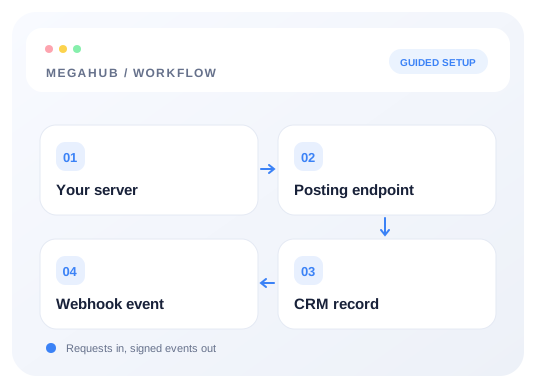
A webhook is MegaHub calling you. You give it a URL, choose which events matter, and it posts JSON to that URL when they happen — so your accounting system, your own dashboard or a Zapier hook can react without polling.
Setting one up
- 1Settings → Integrations → Webhooks.
- 2Add an endpoint: a name you will recognise and an https URL that accepts POST.
- 3Tick the events you want. Start narrow; you can add more later.
- 4Copy the signing secret. You need it to verify deliveries are genuine.
- 5Use the Test button, which posts a sample payload so you can confirm your side receives it.
Events you can subscribe to
| Event | Fires when |
|---|---|
| lead.created | Any lead arrives, from any source. |
| lead.status_changed | An agent moves a lead. |
| quote.sent | A quote goes out to a customer. |
| order.created | A quote is converted to an order. |
| order.status_changed | An order moves through the pipeline. |
| order.delivered | A vehicle is marked delivered. |
| dispatch.offered | A load is offered to a carrier. |
| dispatch.accepted | A carrier accepts. |
| dispatch.declined | A carrier declines. |
| payment.succeeded | A payment clears. |
| payment.failed | A payment is declined. |
| payment.refunded | A refund is issued. |
| chargeback.opened | A customer disputes a charge. |
Verifying a delivery
Every delivery carries these headers. Check the signature before trusting the body — your URL is reachable by anyone who guesses it, and the signature is what proves the post came from MegaHub.
X-TransportCRM-Event:     order.delivered
X-TransportCRM-Delivery:  a unique id for this delivery
X-TransportCRM-Timestamp: unix seconds
X-TransportCRM-Signature: v1=<hex hmac>
The signature is an HMAC-SHA256 over the timestamp, a full stop, and the raw request body, keyed with your endpoint's secret.
import { createHmac, timingSafeEqual } from "node:crypto";

function verify(req, rawBody, secret) {
  const timestamp = req.headers["x-transportcrm-timestamp"];
  const signature = req.headers["x-transportcrm-signature"];

  const expected =
    "v1=" +
    createHmac("sha256", secret)
      .update(`${timestamp}.${rawBody}`)
      .digest("hex");

  const a = Buffer.from(expected);
  const b = Buffer.from(String(signature));

  // Reject on a length mismatch first: timingSafeEqual throws rather than
  // returning false when the two differ in length.
  if (a.length !== b.length) return false;
  return timingSafeEqual(a, b);
}Retries
A delivery that fails is retried with exponential backoff. Answer quickly with a 2xx and do your work afterwards: a receiver that takes thirty seconds to reply will be treated as failed and sent the same event again. Deliveries and their responses are listed under the endpoint, which is where to look when something did not arrive.
Read next
Check your progress
Start with these steps
Use this checklist while following the guide. Your selections are for this reading session and do not change CRM settings.
0 of 5 complete