
FROM ENQUIRY TO OPPORTUNITY
How MegaHub CRM lands a lead
What happens between a provider posting an enquiry and an agent seeing it on their board.
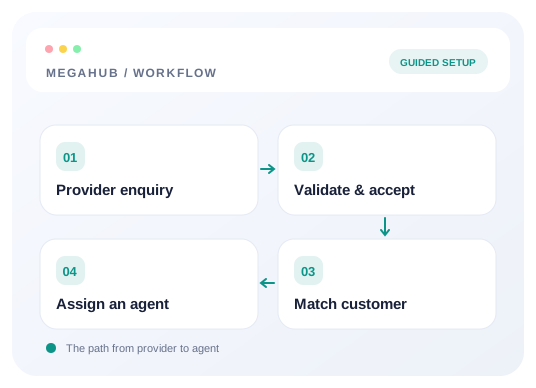
A lead reaches MegaHub one of three ways: a provider posts it to your endpoint, somebody types it in, or it arrives in a bulk import. However it gets in, it takes the same path from there — so the rest of this applies to all three.
The path a lead takes
- 1The post is authenticated. The URL carries your brokerage's tenant key and the request carries a posting key in the X-Api-Key header. Both have to match an active lead source, or the post is refused.
- 2The fields are read. MegaHub accepts the field names the industry already uses — origin_zip, vehicle_make, move_date and so on — so most providers need no mapping at all.
- 3The raw body is stored verbatim, alongside the parsed lead. This is what settles a dispute about what a vendor actually sent, months later.
- 4The route is resolved. The two ZIPs are looked up and turned into cities, states and a mileage.
- 5The customer is matched or created using normalized email first, then phone, so a repeat enquiry lands on the person already on file rather than making a second one.
- 6Duplicates are flagged. A lead that looks like one you already have is accepted and marked, not silently dropped.
- 7It is assigned to an agent, by whichever distribution rule you have set.
- 8It appears on that agent's board, and the acknowledgement goes back to the provider.
What counts as a duplicate
Duplicate detection checks recent enquiries from the matched customer and flags a possible repeat. A match is accepted and marked as a possible duplicate — the acknowledgement says so — and appears for an agent to judge. It is never discarded, because the same customer genuinely does shop twice, and a vendor billing you for a lead you threw away is an argument nobody needs.
Who it goes to
Assignment is set under Settings → Lead distribution. You can hand every lead from one source to one agent, spread them round-robin across a team, or route by the lane. Agents outside their working hours are skipped, so a lead posted at 2am does not sit unread on the board of somebody who finished at six.
Read next
Check your progress
Start with these steps
Use this checklist while following the guide. Your selections are for this reading session and do not change CRM settings.
0 of 8 complete
Continue exploring leads
Connect a provider and land your first lead
Create a lead source, share its posting credentials, test the payload, and confirm the lead reaches an agent.
10 min read →
Troubleshoot lead delivery and assignment
Find whether an enquiry failed authentication, mapped incorrectly, stayed unassigned, or is hidden by permissions.
6 min read →
Setting up your lead sources
Creating a source, what each field changes, and what happens to a provider when you switch one off.
6 min read →
Deciding which agent gets a lead
How an inbound lead finds a desk, how a ratio is honoured when leads arrive one at a time, and what happens when nobody is eligible.
6 min read →