
FROM ENQUIRY TO OPPORTUNITY
Setting up your lead sources
Creating a source, what each field changes, and what happens to a provider when you switch one off.
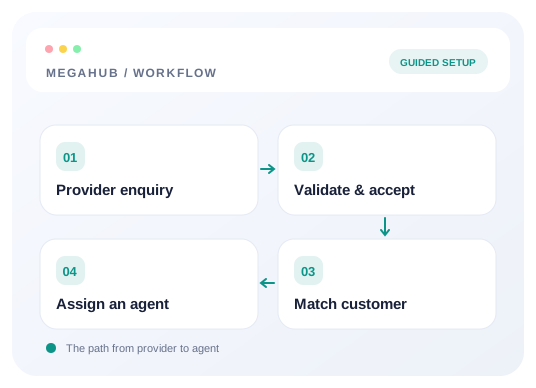
A lead source is where an enquiry came from. Every lead carries one, and almost every question worth asking about your spend — which vendor converts, what a booking costs you, who to stop paying — is answered by grouping on it. Setting them up properly on day one is the difference between a cost-per-acquisition report and a shrug.
Creating one
Settings → Sources → New source. The fields that matter:
| Field | What it changes |
|---|---|
| Name | What agents see on the lead. Use the vendor's trading name. |
| Code | A short handle, unique within your brokerage. It is what distribution rules match on, so changing it later means revisiting them. |
| Type | Provider, web, phone, referral, repeat or manual. Only Provider gets a posting key — the rest are for leads your own people enter. |
| Monthly cost and cost per lead | Your spend with this vendor. Nothing stops a lead without them; they are what turn the source reports into money rather than counts. |
| Team | Sends every lead from this source to one desk, before any distribution rule runs. |
| Batch and hourly limits | A ceiling on how many leads this vendor may post. Zero means no limit. |
Giving a provider their details
A Provider source gets a posting key. The key is shown once, when it is created or rotated — it is stored hashed, so nobody, including support, can read it back to you afterwards. Send the vendor their URL and key together, and keep your own copy somewhere safe.
Read next
Switching a source off
Deactivating a source stops it posting: a request against an inactive source is refused the same way a wrong key is. It does not touch the leads it already sent you. Those keep their source, stay in the reports, and go on converting — which is the point, because a vendor you stopped paying in March still earned the orders they sent you in February.
Who can see them
The source list, and the source on a lead, are held by managers, admins, owners and anybody leading a desk. Agents do not see which vendor sent a lead — the list of who you buy from is, next to your margins, the most portable thing a departing agent could take.
Read next
Check your progress
Review your setup
Use this checklist while following the guide. Your selections are for this reading session and do not change CRM settings.
0 of 5 complete
Continue exploring leads
Connect a provider and land your first lead
Create a lead source, share its posting credentials, test the payload, and confirm the lead reaches an agent.
10 min read →
Troubleshoot lead delivery and assignment
Find whether an enquiry failed authentication, mapped incorrectly, stayed unassigned, or is hidden by permissions.
6 min read →
How MegaHub CRM lands a lead
What happens between a provider posting an enquiry and an agent seeing it on their board.
6 min read →
Deciding which agent gets a lead
How an inbound lead finds a desk, how a ratio is honoured when leads arrive one at a time, and what happens when nobody is eligible.
6 min read →